BLOG DETAILS

Sachin Pathak

Kubernetes

25 March, 2026
Kubernetes Autoscaling: HPA, VPA and Cluster Autoscaler
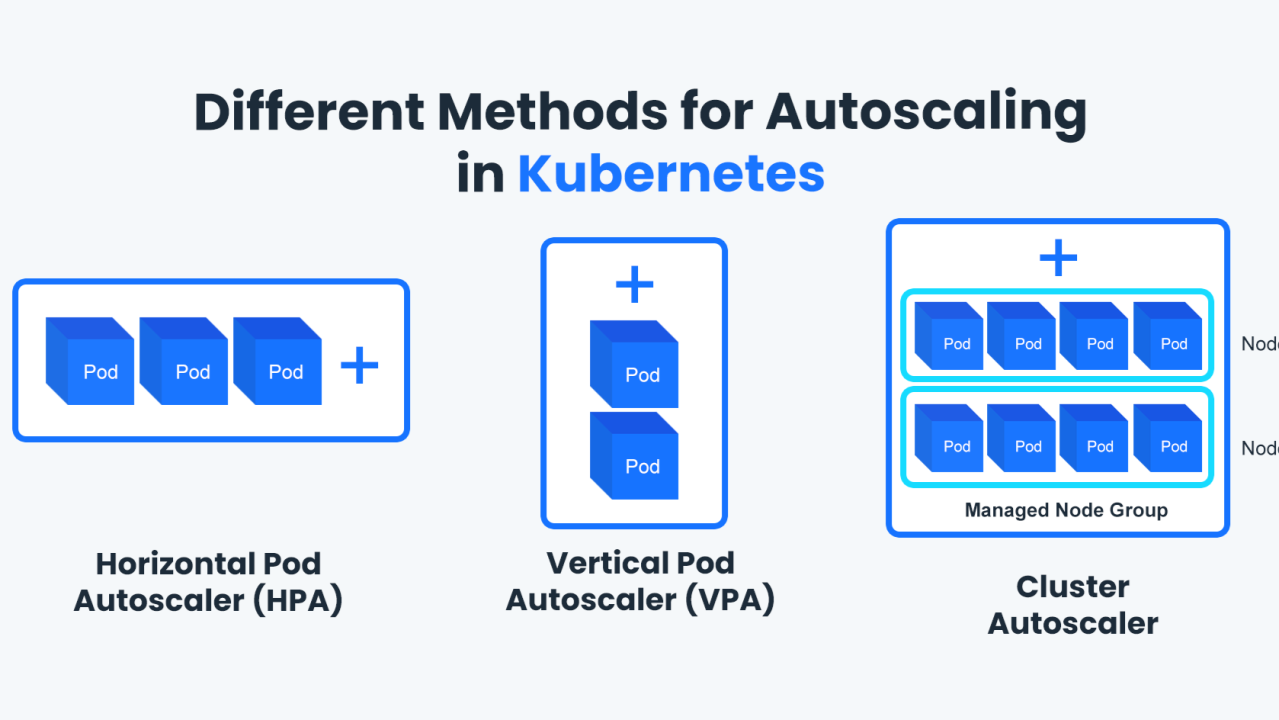
Right-sizing by hand wastes money and pages you at 3am. Kubernetes has three autoscalers that handle load and capacity automatically.
Three layers of scaling
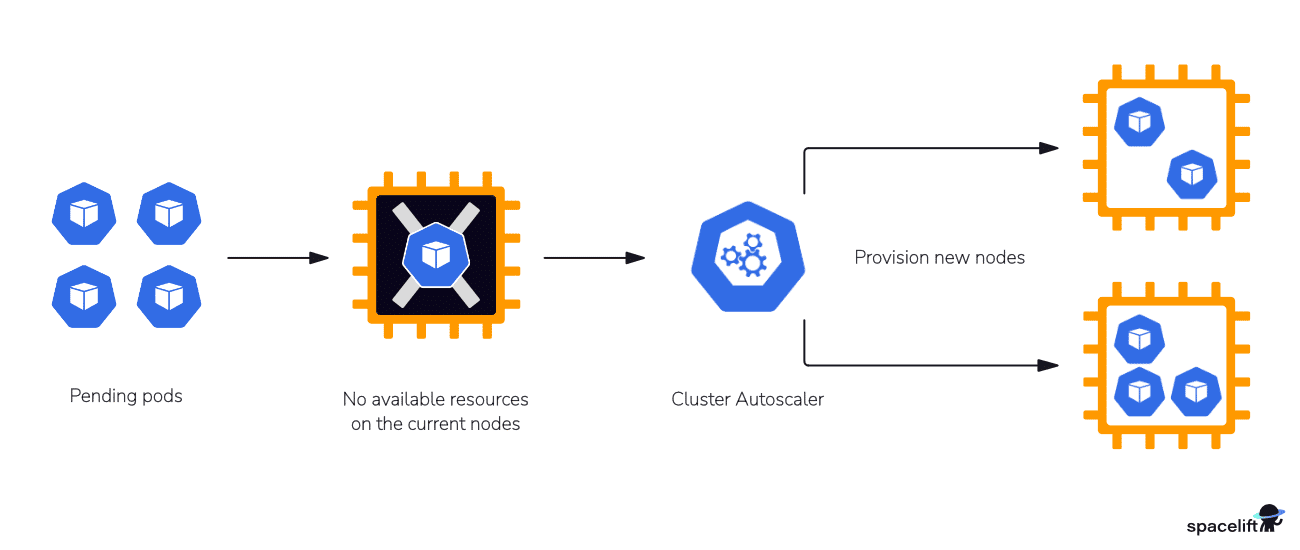
HPA scales pods on metrics, VPA right-sizes pod requests, and the Cluster Autoscaler adds or removes nodes as demand changes.
A basic HPA
Scale a deployment between 2 and 10 pods on CPU.
apiVersion: autoscaling/v2
kind: HorizontalPodAutoscaler
spec:
  scaleTargetRef: { kind: Deployment, name: api }
  minReplicas: 2
  maxReplicas: 10
  metrics:
    - type: Resource
      resource: { name: cpu, target: { type: Utilization, averageUtilization: 70 } }
Tune for cost and stability
Set sane min and max replicas, use custom metrics for real load, and let the Cluster Autoscaler keep nodes lean when traffic drops.
Key Takeaways
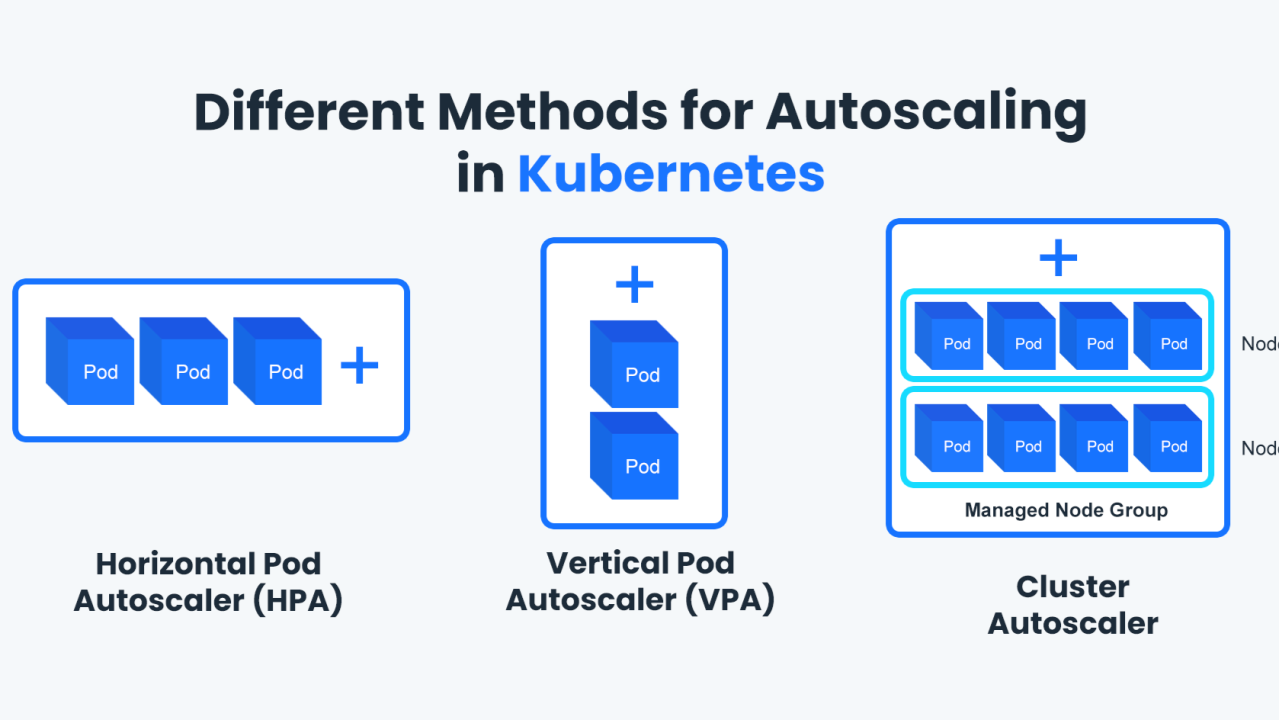
- The Horizontal Pod Autoscaler scales pods on CPU, memory or custom metrics.
- The Cluster Autoscaler adds and removes nodes to match pending pods.
- The Vertical Pod Autoscaler right-sizes requests and limits automatically.
- Set sensible resource requests — autoscaling is only as good as your metrics.
- Pair it with PodDisruptionBudgets so scaling never harms availability.
Wrapping Up
Layered autoscaling keeps services responsive under spikes and your cloud bill honest when traffic falls.
3 Comments +13
Mohit Raimale
02 Mar 2026HPA on custom metrics changed how we handle traffic spikes. Great breakdown.
Amber Sharma
03 Mar 2026The bit about sensible resource requests is so true — bad metrics, bad scaling.
Rohit Shukla
05 Mar 2026Pairing it with PodDisruptionBudgets is something we missed. Adding it now.